

For decades, the conversation around distracted Car Technology focused on external factors. We talked about teenagers on smartphones, drivers eating lunch behind the wheel, or the dangers of applying makeup in the rearview mirror. But lately, the conversation has shifted toward a new and more permanent source of danger: the vehicle itself.
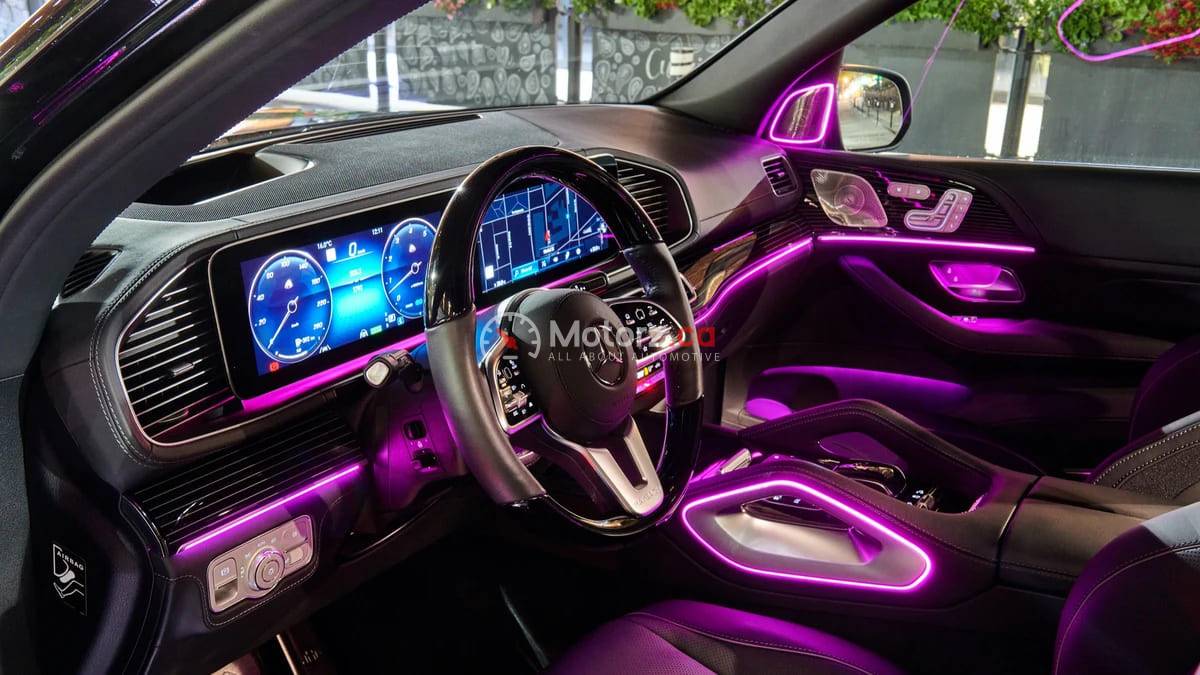
Modern cars are increasingly designed with massive touchscreens, haptic feedback sliders, and complex infotainment systems that require multiple menu taps just to perform basic tasks. While these features look sleek in a showroom, they are creating a new crisis on our roads. When the distraction comes from the factory, it isn’t just a bad habit—it is a design flaw that impacts every mile you drive.
In this Troubleshooter guide, we explore the rise of “factory-installed distractions,” why physical buttons are becoming a premium safety feature, and how you can manage high-tech cabin clutter to keep your eyes where they belong: on the road.
The Screen Takeover: Why Touchscreens Can Be Dangerous
The most obvious change in modern Car Technology is the disappearance of the physical button. In many new models, everything from the volume knob to the air conditioning controls has been moved into a central touchscreen.
The Loss of Muscle Car Technology
The primary advantage of a physical button or a rotating dial is tactile feedback. A driver can reach out and adjust the temperature or change a radio station by “feel,” without ever taking their eyes off the road.
Touchscreens offer no such luxury. Because a screen is a flat, featureless surface, the driver must look at the display to ensure their finger is hovering over the correct icon. Even a split-second glance at a screen while traveling at 65 mph means you have traveled the length of a football field essentially blind.
Menu Diving and Cognitive Load
In some vehicles, tasks that used to take one second now require “menu diving.” For example, if you want to turn on your heated seats or adjust the mirror, you might have to tap “Home,” then “Settings,” then “Vehicle,” and finally “Comfort.” This increased cognitive load pulls the brain’s focus away from the complex task of navigating traffic.
The Psychology of Haptic Feedback and Sliders
To bridge the gap between screens and buttons, some manufacturers have introduced haptic sliders—surfaces that vibrate when touched but don’t actually move.
The Precision Problem
Haptic sliders are often used for volume and temperature control. However, unlike a physical knob that has a beginning and an end, sliders require a high level of visual precision. On a bumpy road, it is incredibly difficult to slide a finger to an exact point on a glass surface. This often leads to “over-correction,” where the driver spends more time looking at the dashboard to fix a setting than they do looking at the lane ahead.
Advanced Driver Assistance Systems (ADAS): Helpful or Distracting?
Ironically, the systems designed to keep us safe can sometimes contribute to factory-installed distractions. ADAS includes features like Lane Keep Assist, Blind Spot Monitoring, and Forward Collision Warnings.
The “Alarm Fatigue” Factor
If a car is constantly beeping, chiming, or vibrating the seat for minor lane deviations or nearby cars, the driver can develop alarm fatigue. When the car “cries wolf” too often, the driver may begin to ignore the warnings entirely or become so annoyed that they spend time scrolling through menus to disable the sensors while driving.
False Sense of Security
Systems like Adaptive Cruise Control and Lane Centering can lead to “automation bias.” Drivers may feel so comfortable with the car’s ability to steer and brake that they feel “safe” checking a text or interacting more deeply with the infotainment system, leading to delayed reaction times during a true emergency.
How to Manage Factory Distractions
If you own a high-tech vehicle, you don’t have to be a victim of its design. There are several ways to “tame” your dashboard.
Master Voice Commands
Most modern vehicles have advanced voice recognition systems (like Apple CarPlay, Android Auto, or the manufacturer’s own AI). Learning the specific phrases to change the temperature or set a navigation destination allows you to keep your hands on the wheel and eyes on the road.
Set Your “Favorites”
Most infotainment systems allow you to customize the home screen. Move your most-used functions—like the backup camera, defroster, or phone contacts—to the top level of the menu. This minimizes the number of taps required to get what you need.
Configure Prior to Departure
Make it a rule to set your music, input your GPS destination, and adjust your climate settings before you take the car out of park. If an adjustment is needed mid-trip, wait for a red light or ask a passenger to handle the screen.
The Future: A Return to Buttons?
There is a growing movement among safety experts and even some manufacturers to bring back the “click.” Organizations like Euro NCAP (the European New Car Assessment Programme) have begun suggesting that cars may receive lower safety ratings in the future if they do not have physical controls for essential functions like turn signals, wipers, and horns.
The Luxury of the Knob
We are starting to see a trend where physical buttons are being marketed as a premium feature. Drivers are realizing that a car that is “easy to use” is inherently safer and more luxurious than one that requires a computer science degree to operate.
Balancing Innovation with Safety
Technology in cars isn’t going away, and in many ways, it makes our lives better. However, when driving distractions come from the factory, the responsibility shifts to the driver to manage those tools wisely. A screen should be a helper, not a hazard.
By prioritizing tactile controls, mastering voice commands, and setting your car’s environment before you pull out of the driveway, you can enjoy the benefits of a modern vehicle without sacrificing your safety. The most important “tech” in any car will always be the alert and focused driver behind the wheel.